The plugin puts Brazilian Série A football in the Omarchy bar. Before kickoff, it shows the local match time. During play, it follows the score and match minute, with status indicators at halftime and full time.
Matches, standings and settings
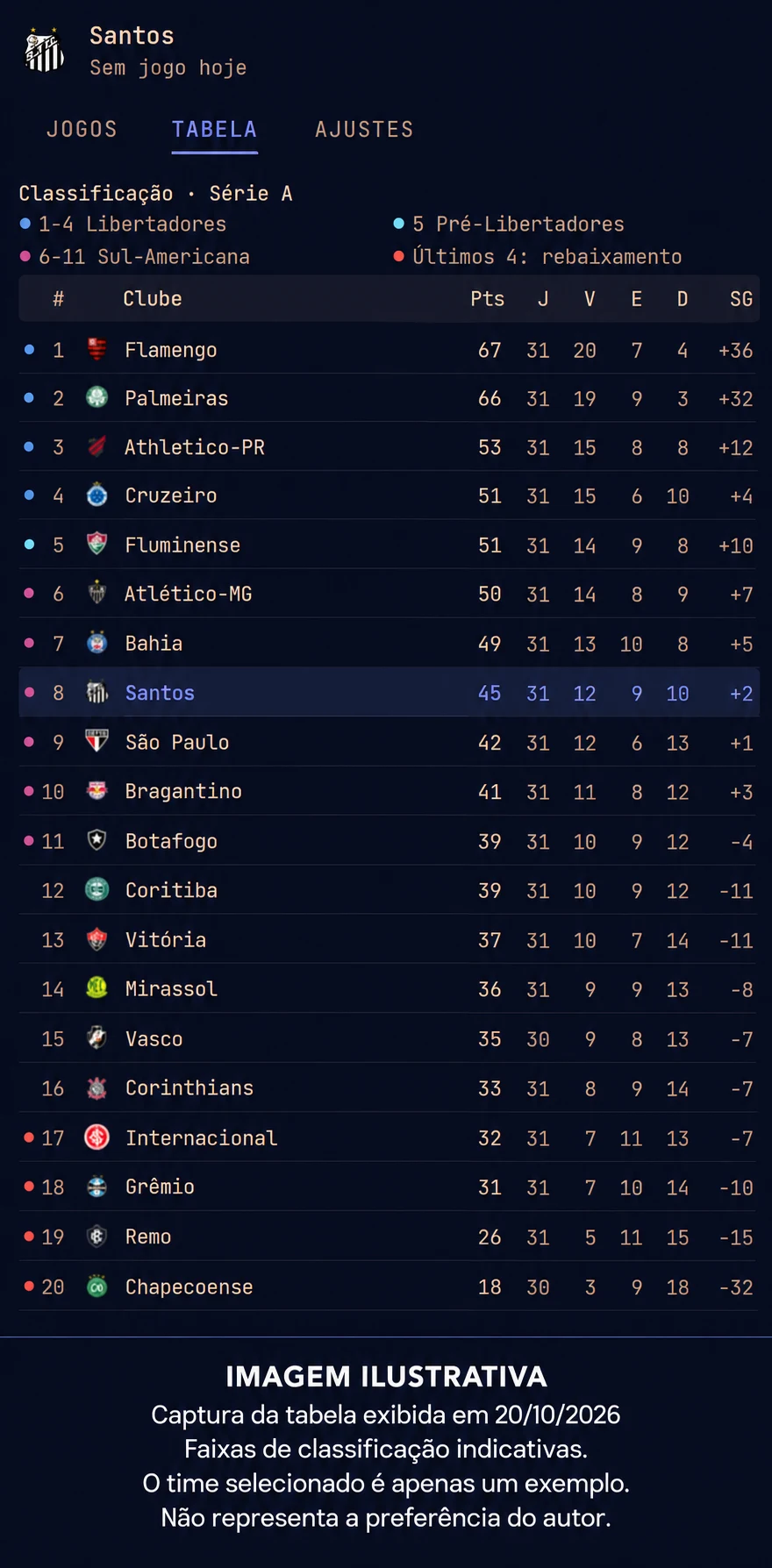
Clicking the ball or score opens the panel. The Matches tab shows your followed team’s match and today’s games. In Standings, you can check points, wins, draws, losses and goal difference, or choose another club to follow.
Goal notifications, celebrations and alerts when the opponent scores can be configured separately. The panel also lets you preview the effects before enabling them.
Getting started
The project requires Omarchy 4.0 or later with shell plugin support and an internet connection. No account, API key or token is needed. Scores and standings come from ESPN and may be delayed or unavailable when the source has problems.
The code is open source under MIT. The plugin is independent, with no affiliation to ESPN, the clubs or the competition organizers. Installation and configuration options are documented on GitHub.